
Energy screening
WEGAMED.NET 7.2.75 · CURRENT SOFTWARE BUILD
Meet the new wegamed.net.
Everything that matters, clearly in view.
Discover the new design, clearer workflows and new possibilities for your day-to-day work – directly in our interactive product tour.
All features shown are available
5new BIA/BCA views
5sortable patient fields
1×try interactively
The current range of functions
Capture everything important faster.
And continue working straight away.
The current version combines new BIA/BCA views, more efficient patient management and significantly further developed specialist reports in a consistent interface.
AVAILABLE · BIA/BCA View the new analysis
AVAILABLE · PATIENTS
View the new analysis
AVAILABLE · PATIENTS
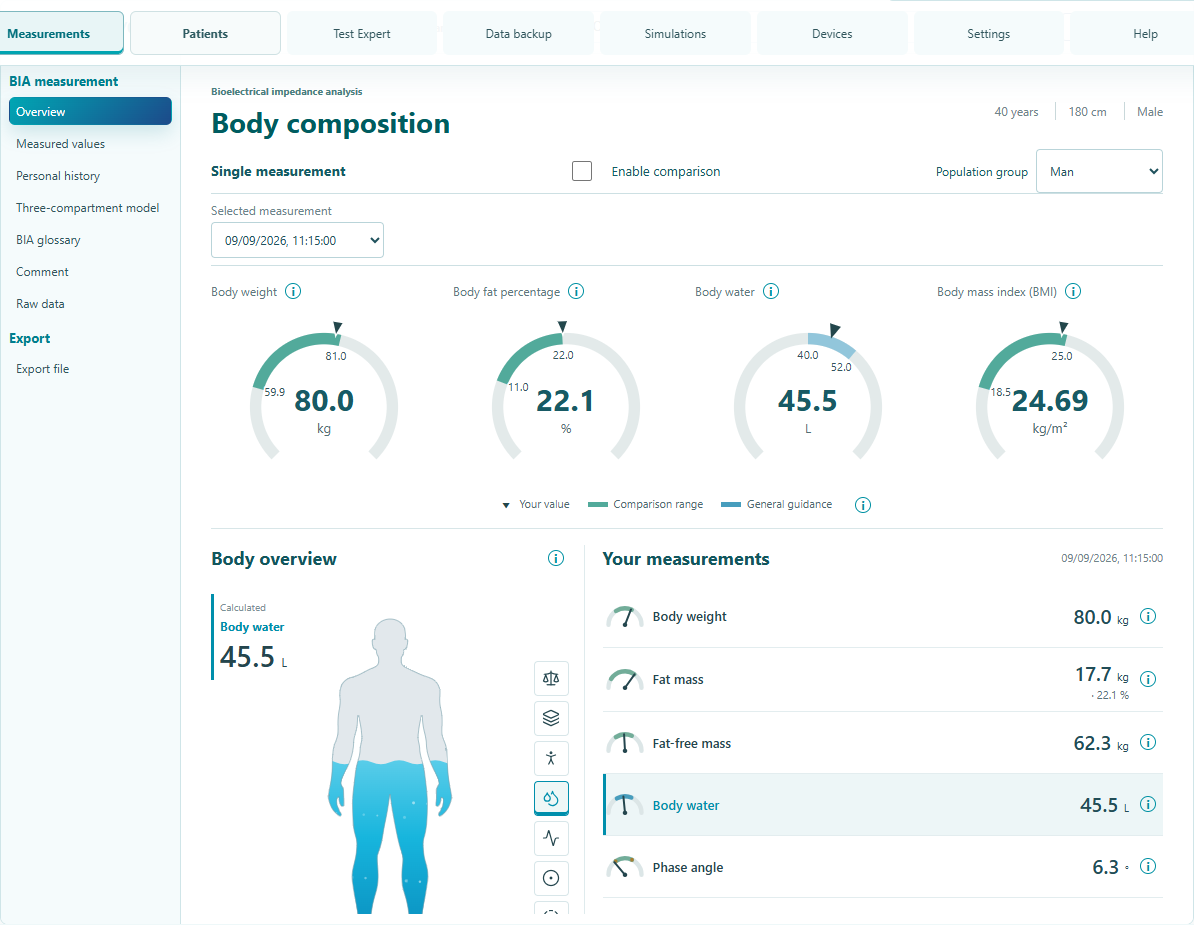
Capture body composition from multiple angles.
Overview, measured values, history, compartments and glossary in a modern evaluation.
 View the new analysis
AVAILABLE · PATIENTS
View the new analysis
AVAILABLE · PATIENTSSort patient lists specifically
Arrange name, address, date of birth, last session or number of measurements in ascending and descending order.
View patient overview CURRENT · TEST EXPERTRead specialist reports more clearly
Direct explanations, structured results and modernized evaluations in the current software version.
Explore features CURRENT · TOOTH MEASUREMENTMark measuring points directly in the tooth diagram
Assign red, yellow and green, compare two measuring points and understand the relationships.
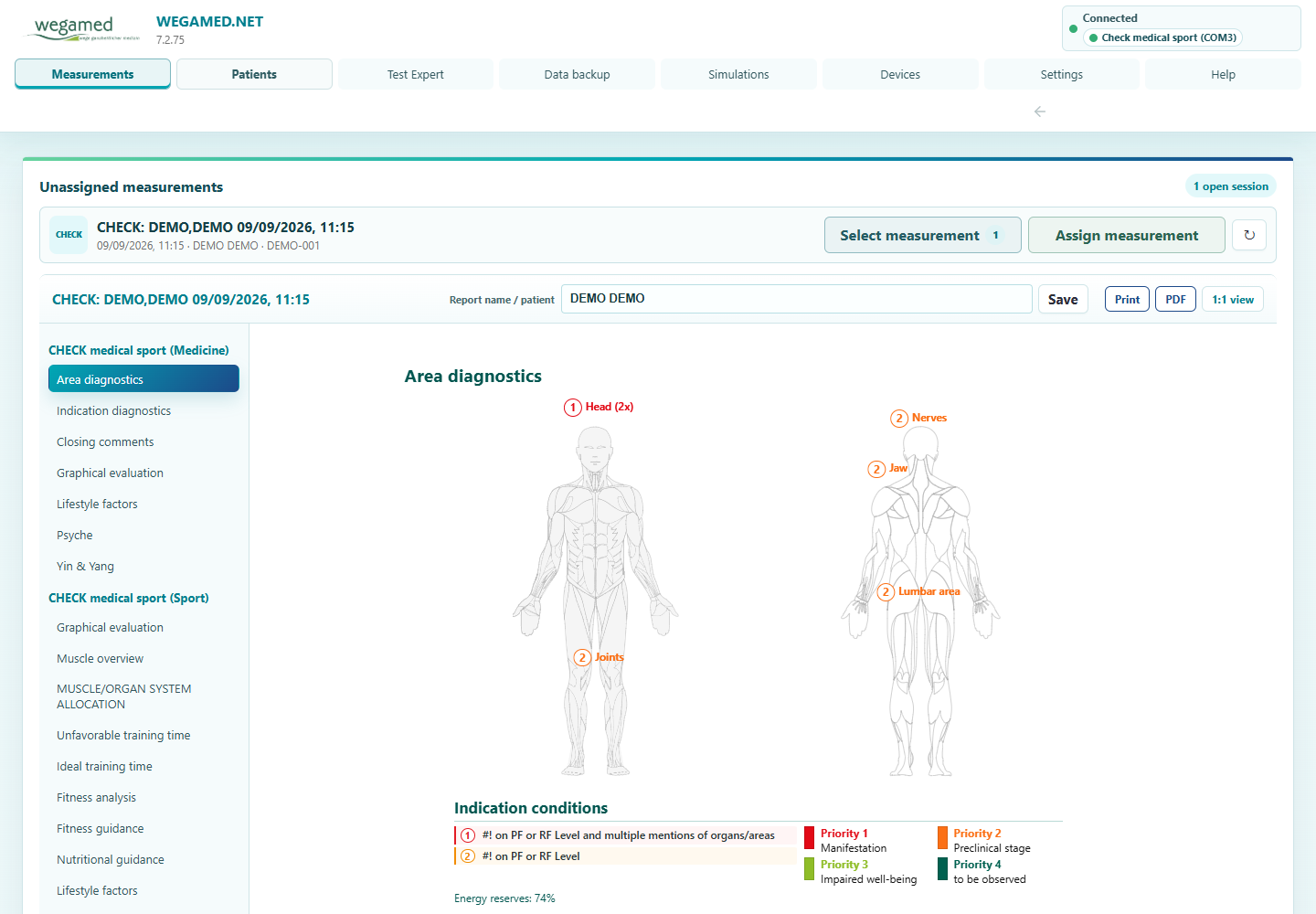
View feature MORE IN 7.2 · CHECKPsyche as well as Yin & Yang
Visually structure connections in your own CHECK evaluations (DFM).
Explore views MORE IN 7.2 · PRACTICE NETWORKOpen interface in the local network
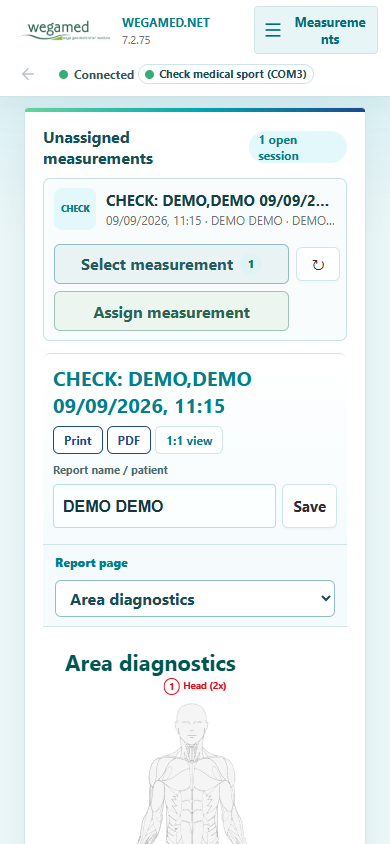
Work on other practice PCs, tablets or smartphones.
Explore the practice network MORE IN 7.2 · INTERNATIONAL20 languages in the catalog
Interface and central test terms follow the selected language.
Explore languages MORE IN 7.2 · DEVICESSupported devices automatically in view
Status and last reception remain visible.
View device feature
01
Software build 7.2.75
New BIA/BCA evaluation
From individual values to an understandable overall picture.
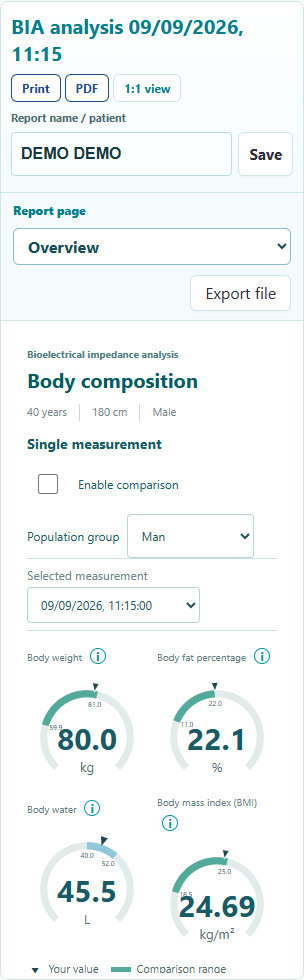
The new display brings together the most important views in a clear workspace and can also be used on smaller screens.
- Five clearly separated viewsOverview, measured values, personal history, three-compartment model and glossary.
- Compare measurements directlySelect points in time and compare changes in curves and key figures.
- Raw data remain unambiguousMissing or invalid values remain blank instead of being shown as apparent zero values.
Display with synthetic test data. Technical classification and measurement conditions remain the responsibility of the trained users.
5Views
in an evaluation
in an evaluation
NameAddressDate of birthLast sessionmeasurements
02
Software build 7.2.75
Patient overview
Find the right file faster.
The patient list can be sorted ascending or descending according to five fields. The order is applied on the server side to the entire inventory, not just to the visible section.
- Name
- Address
- Date of birth
- Last session
- Number of measurements
03
Updated in 7.2.75TEST Expert becomes clearer,
TEST Expert and dental measurement
TEST Expert becomes clearer,
more direct and visual.
The revised representations combine direct explanations with more clearly structured results and additional interactions.
- SI-Card fully structuredAmpoule, EP, BI, PR and Yin/Yang appear in separate columns and remain readable across multiple printed pages.
- Output Psyche and Yin/YangBoth CHECK views are available in the print and PDF selection when the corresponding module is licensed.
- Continue long content in fullDental overviews and SRT notes continue on subsequent pages without clipping content.
Meridian status
Left, right and five elements more readable
Dental measurement
Assign measuring points directly in the tooth diagram
Explained directly
Information exactly where questions arise
Five values clearly separated
Ampoule, EP, BI, PR and Yin/Yang are shown in clear columns. Long lists receive complete continuation pages with repeated table headings.
Complete output instead of clipped content
Marked dental sections and long SRT notes continue in full without duplicating measurement or therapy values.
Selectable directly for print and PDF
The two licensed CHECK evaluations can now be included in the output as required.
Missing values remain clearly identifiable
Missing BIA/BCA values are not output as zero values. Dental curves retain their original 5 ms time positions when samples are missing instead of compressing the curve.
Verified software build: The measurement and output changes described correspond to the verified 7.2.75 development build. The views support orientation and do not replace professional assessment.
04
Practice network
The surface goes where you work.
Open wegamed.net on other practice PCs, tablets or smartphones in the same LAN or WLAN - directly in the browser.
- More freedom of movementCall up information away from the measuring PC.
- Controlled accessInitial access with password, device name and unique 6-digit code.
- Practice data stays localDatabase and devices remain on the central measuring PC.
Requirement: same practice LAN/WLAN; the measuring PC must be switched on and accessible. No cloud or remote access.
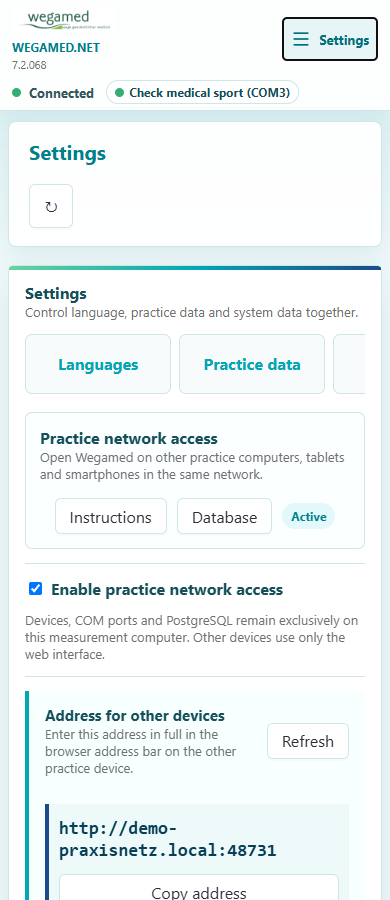
Only in the local practice network
05Psyche and Yin & Yang.
New CHECK perspectives
Psyche and Yin & Yang.
Connections clearly visualized.
Both areas are integrated as dedicated CHECK evaluations (DFM), structure measurement-related mappings visually and can be selected specifically for print and PDF in 7.2.75.
PSYCHE
Detected topics at a glance
Internal and external life circumstances, physical associations and additional TCM references are brought together in a structured view.
01 Topic overview
02 body map
03 TCM references
YIN & YANG
Organ, TCM and element references visually
The new view combines measurement-related Yin/Yang assignments with schematic organ positions and the five elements.
01 Yin/Yang balance
02 Organ references
03 Five elements
Note: The views use existing DFM evaluation rules. They do not represent a psychiatric diagnosis or a new medical validation. Available with Check Medical and corresponding license feature.
0620 languages.
Work internationally
20 languages.
Down to the test ampoules.
The web interface and the central catalog adapt to the selected software language. Test ampoules are displayed accordingly in VEGATEST and SI-Card - potency information is retained.
20Languages
7,070Catalog entries
1×Select language
DeutschEnglishFrançaisItalianoNederlandsEspañolPortuguêsTürkçePolskiРусскийΕλληνικά中文हिन्दीไทยTiếng ViệtMagyarRomânăБългарскиDanskEspañol (MX)
Technical catalog cover; Proper names, scientific names and abbreviations can deliberately remain unchanged across languages.
07
Explained directly
Information where questions arise.
Context-related info buttons explain diagrams, legends and key figures directly in the respective evaluation - without media disruption.
- Basic factors and measurement curves
- Regulation, lifestyle and acid-base
- Energy reserves, fitness and nutrition
- Psyche as well as Yin & Yang
08
Fewer interruptions
Supported devices automatically in view.
During normal operation, wegamed.net detects supported device interfaces in the background and restores the connection if necessary.
SO FARStart device search assistantSelect COM port and check connection manually.
→WITH 7.2Automatically connectedStatus and last reception remain visible.
For supported devices and active ports. The manual “Check connection” function remains available for special cases.
The difference in everyday life
Familiar with the processes.
New in flexibility and orientation.
Previous working method
wegamed.net 7.2
Fixed Windows workstationBrowser access in the local practice network
BIA/BCA as a single measurement viewFive views including history, compartments and glossary
Find patients using search and alphabetAdditionally sort ascending or descending by five fields
Device search assistantAutomatic detection in the background
Known CHECK reportsPsyche and Yin/Yang additionally available in the print and PDF selection
Long SI-Card, dental or SRT outputClean continuation pages without clipped content or false zero values
Voice dialing with limited range20 languages including central ampoule catalog
Search explanations separatelyContext-related info buttons in central evaluations
Try it now
The complete software.
Full width.
Open every section and explore CHECK, TEST Expert, BIA/BCA, Patients, Devices, Settings and Help using safe sample data.
Software build 7.2.75 · safe sample data
Operate directly: Navigation now adjusts to the available width without swiping sideways. Real practice data, storage, deletion, export and real device access are technically disabled.
The next step
wegamed.net 7.2
at the introductory price.
Secure the current version at the introductory price. After you place your order, our team will contact you to arrange deployment.
Introductory price
699 €*
* excluding VAT
Your order will only be submitted when you send the prepared email.
This product tour does not set cookies, does not load any external content and does not process any practice or patient data.